Redesigning ISOA’s Public Site + Member Suite
I redesigned ISOA's public website and led the creation of a private member-tool suite, turning a static association site into a maintainable product for Illinois swimming officials.
- Role
- Design lead
- Timeline
- May – August 2026, 4 months
- Team
- 3 designers, 4 engineers, 2 PMs
- Tools
- Figma, Google Meet, Google Docs, Notion
Context
A public site and a members’ workspace, built together
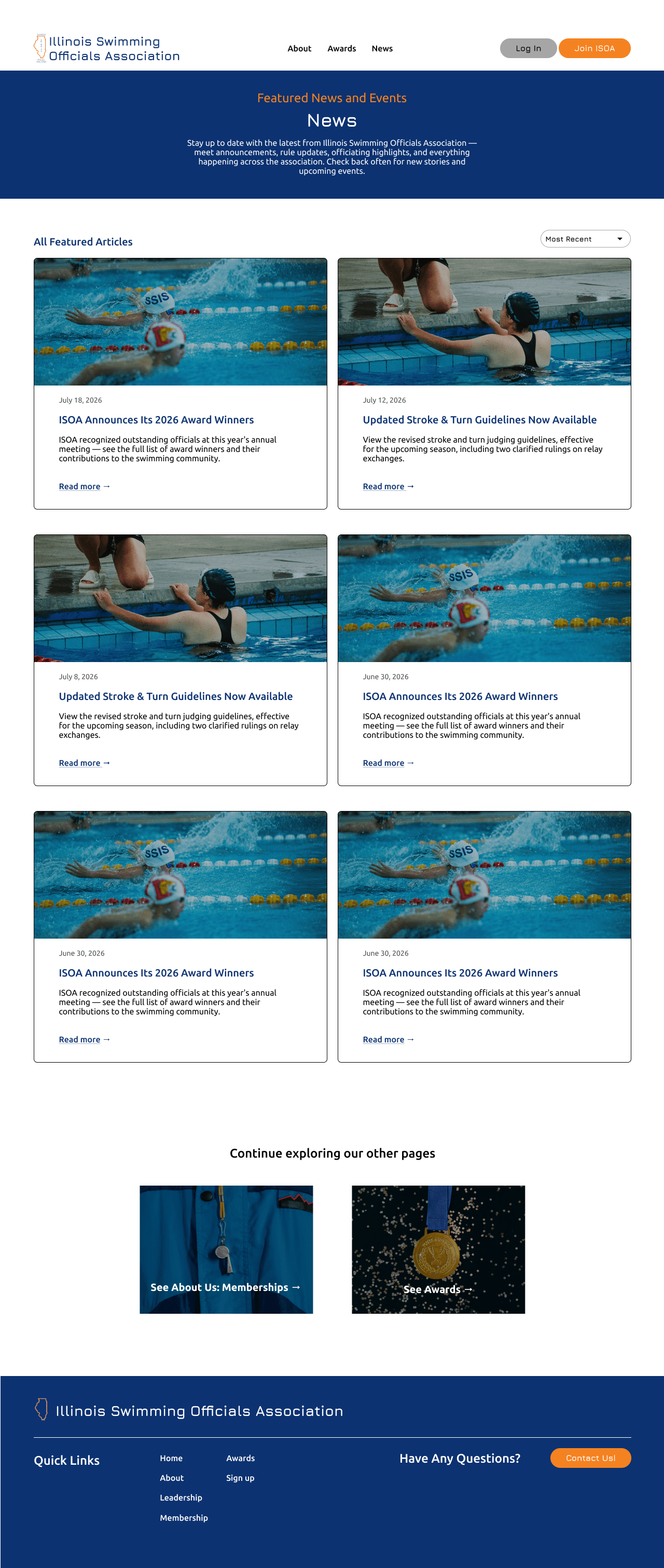
ISOA is Illinois’ IHSA-recognized association for swimming and diving officials. Its old site was public-only; member tools and resources were scattered.
I led three designers, working with four engineers and two PMs, to redesign the public site and build a private member-tool suite—from client review through handoff and QA.
The problem
Membership had value, but the website could not deliver it
ISOA needed to protect member content while showing prospective officials why membership matters. The result had to serve both audiences—and stay manageable for a volunteer board.
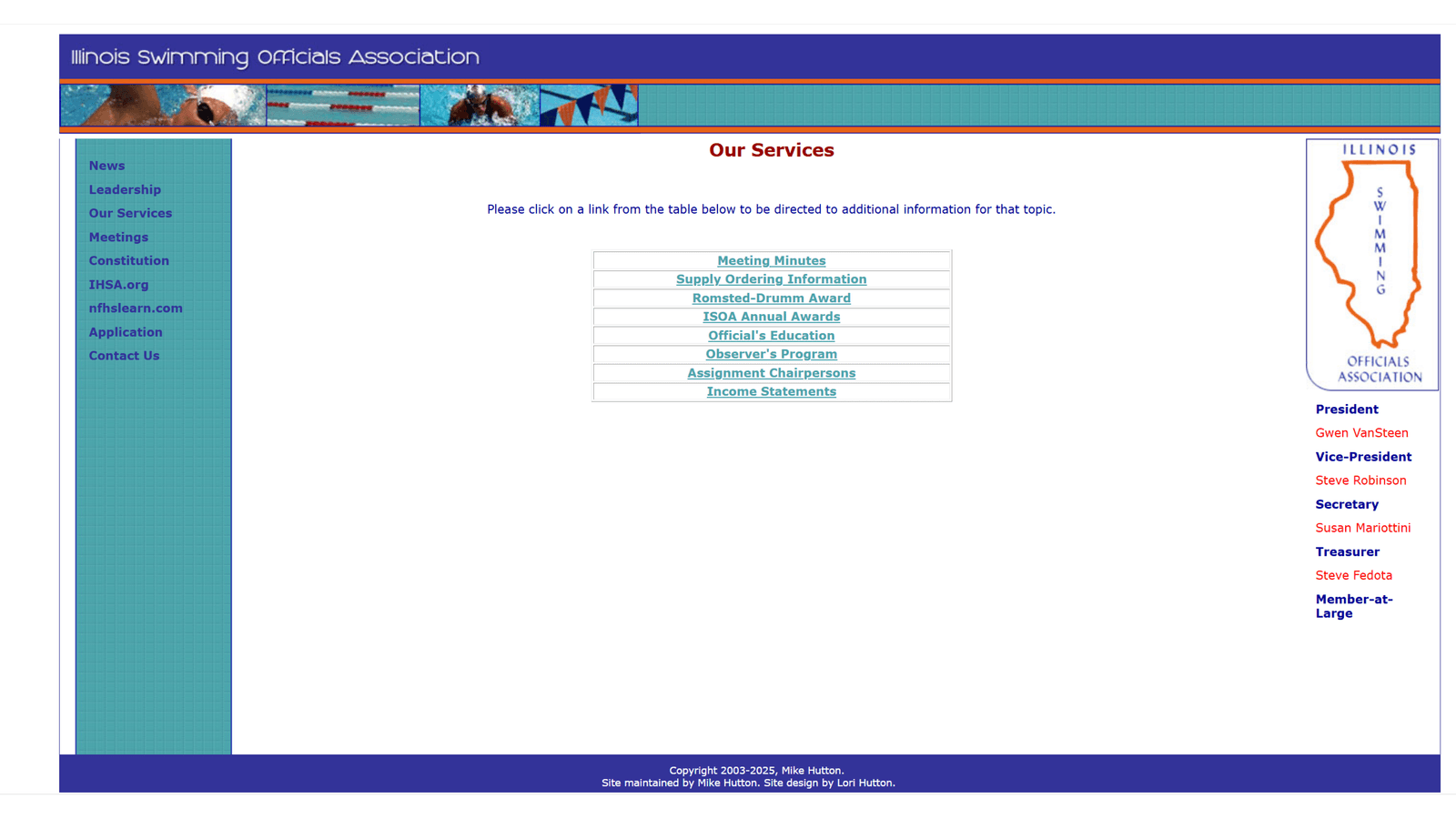
The client’s desired model
One Website
Public information
- Public-facing news
- About ISOA
- Membership information and application
- Links to external organizations
- Awards
Private member tools
- Officials’ education resources
- You Make the Call (YMTC)
- School information wiki
- Store
- Income statements
The solution
One system, with a clear public-to-private boundary
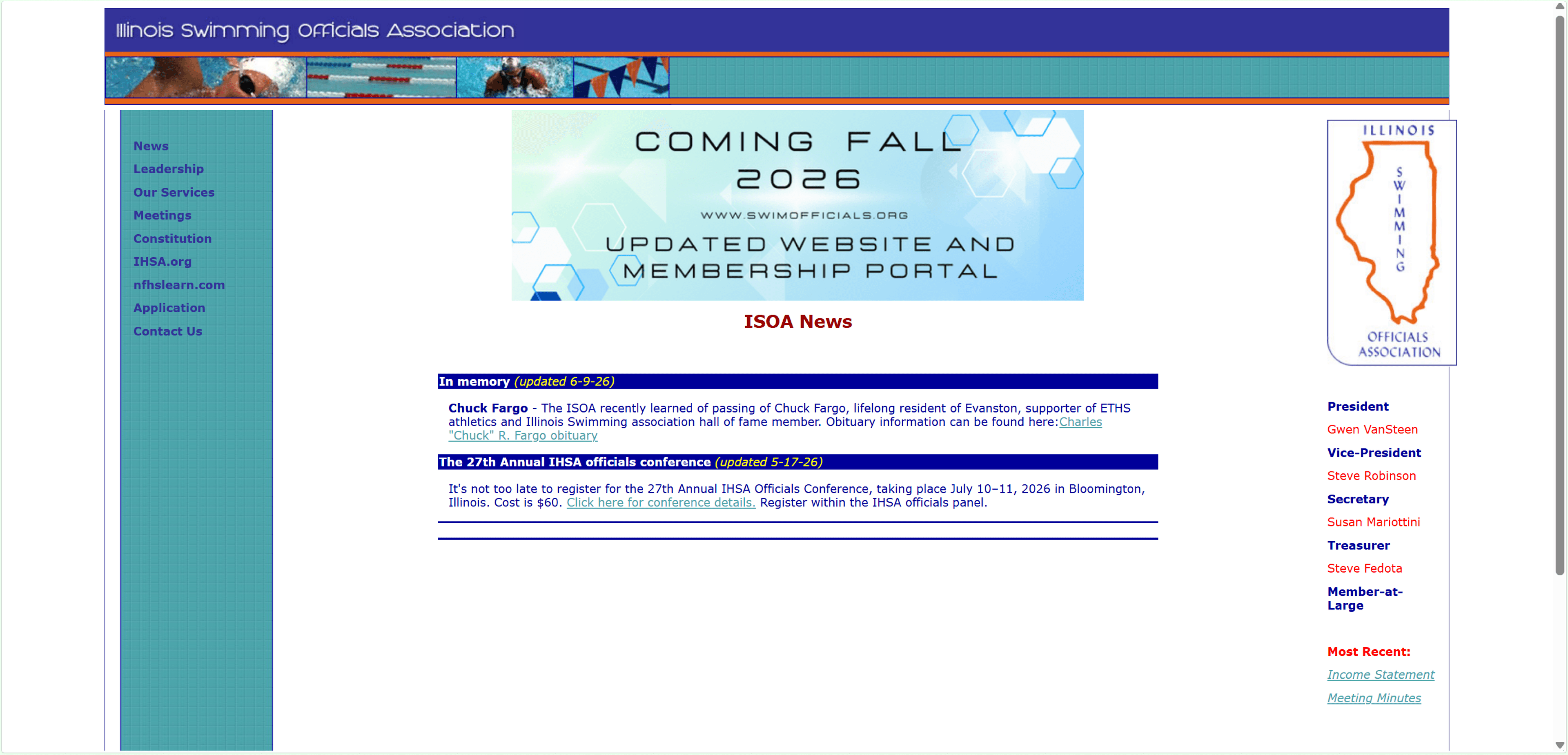
Public pages explain ISOA; private tools help officials do their work. Shared navigation and components make the boundary clear without turning the member area into a separate product.
Public
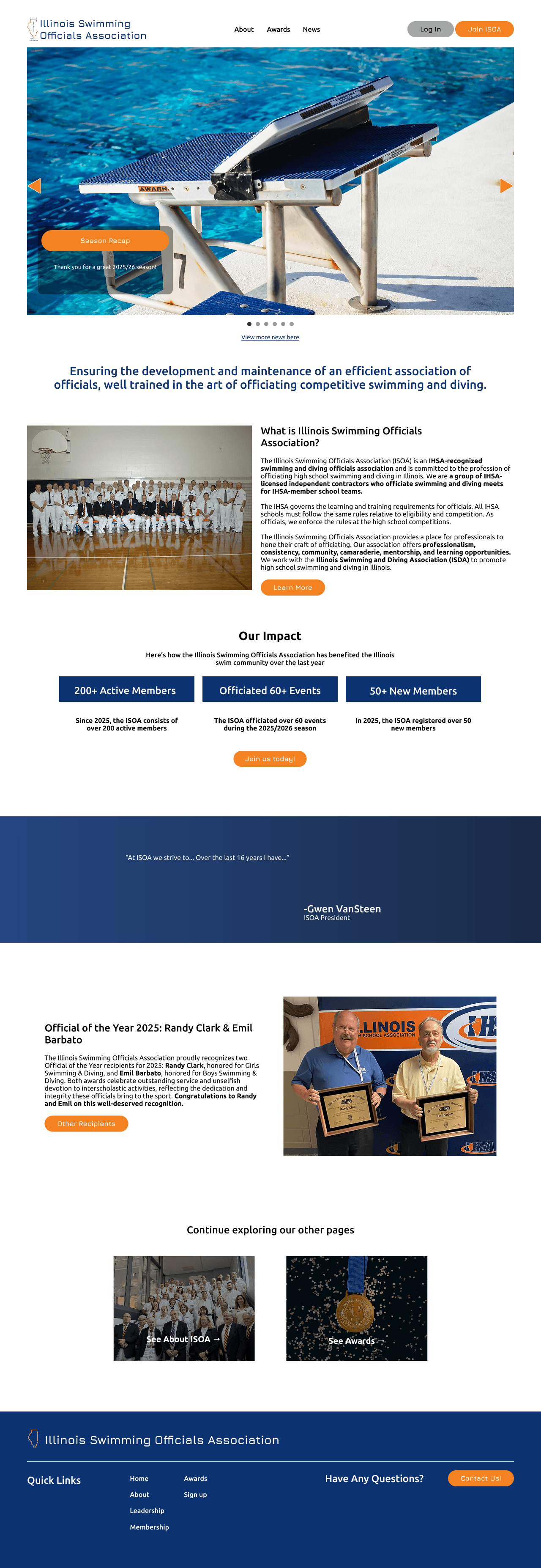
Members
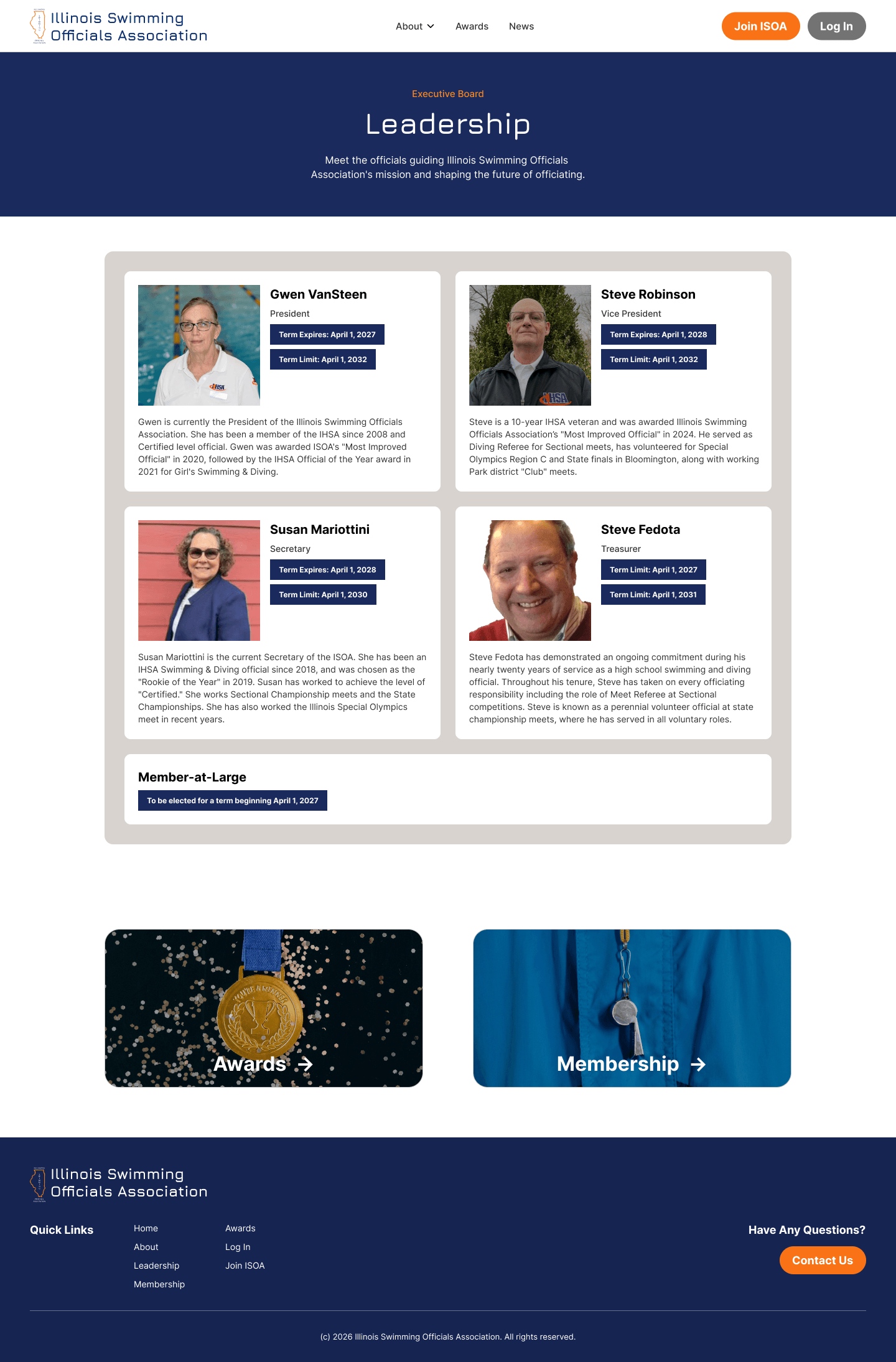
News stays visible to everyone. Members-only stories stop at sign-in, protecting the content while showing the value of joining.
Public
1Familiar news-page filters help readers quickly narrow updates to what matters to them.
Members
1The hero gives members tips on the orange members-only label.
2The same filter style keeps the experience consistent, with Members only and Public options for finding private updates or general news.
Member suite
Turning association work into dedicated tools
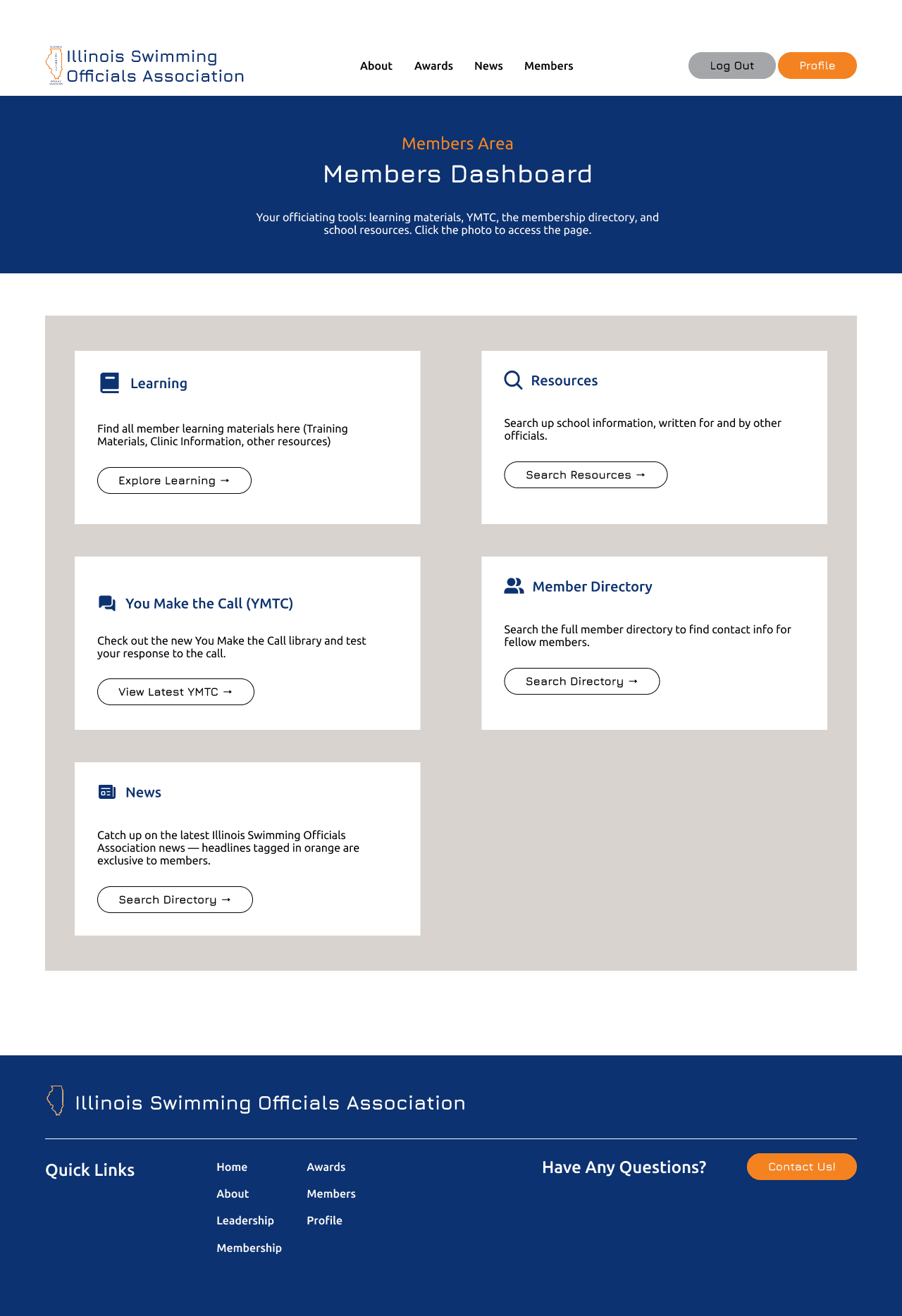
The suite combines account tools, learning resources, workflows, and reference content.
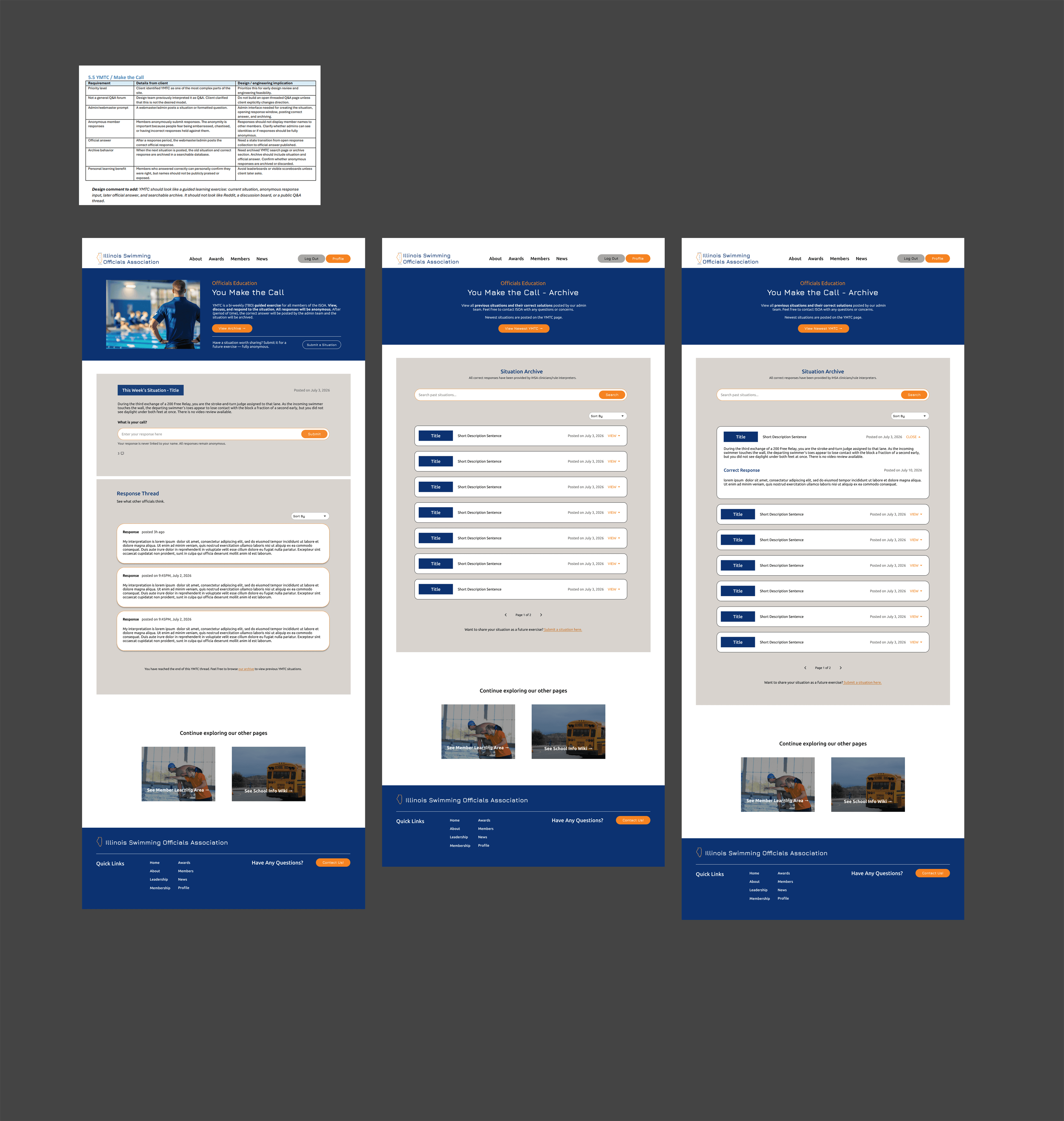
The comparisons below show the proposed experiences. YMTC and School Wiki were simplified for launch to fit the development timeline.
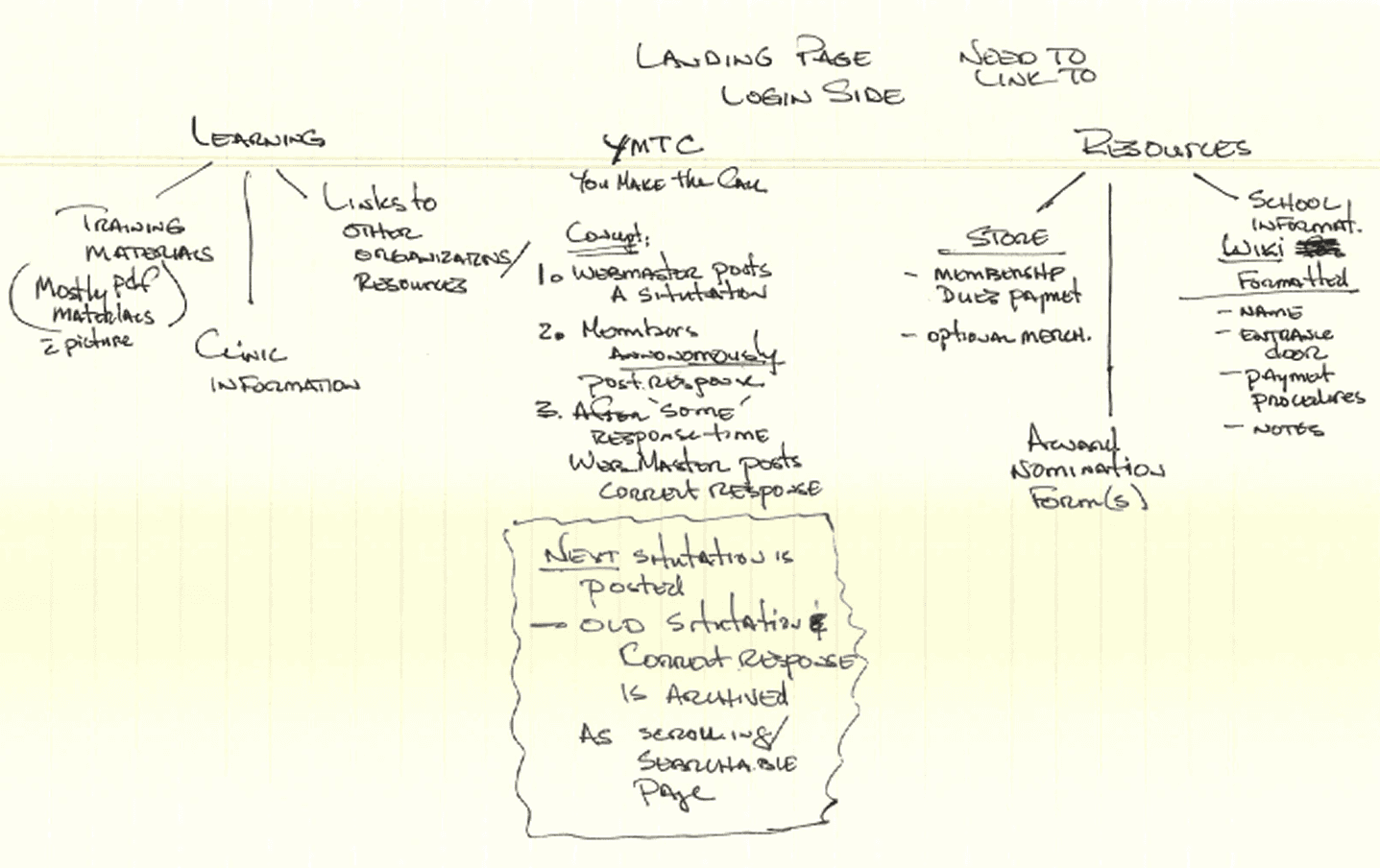
Learning: give ongoing development one home
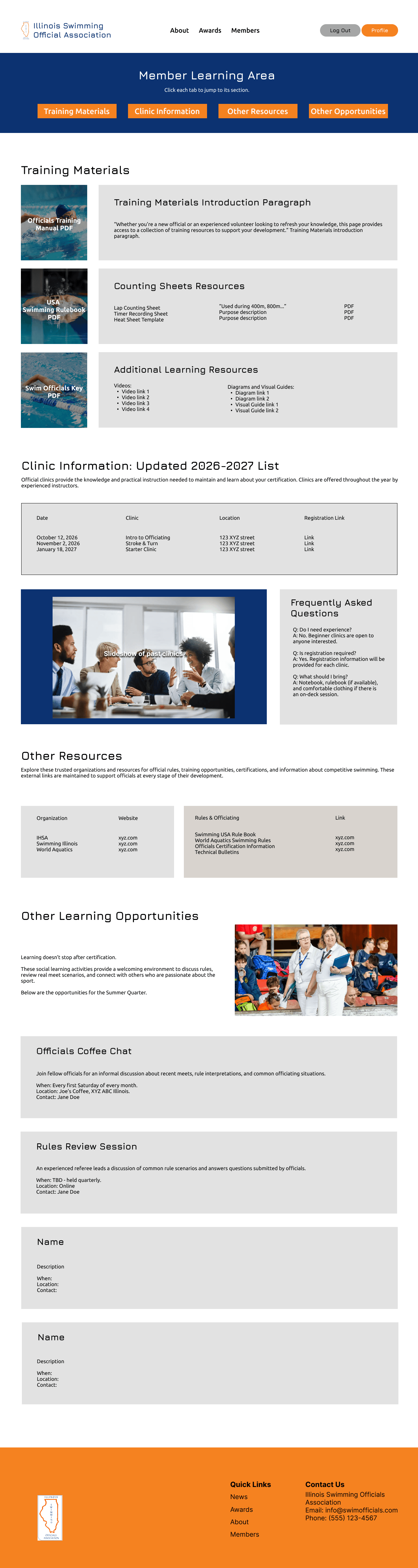
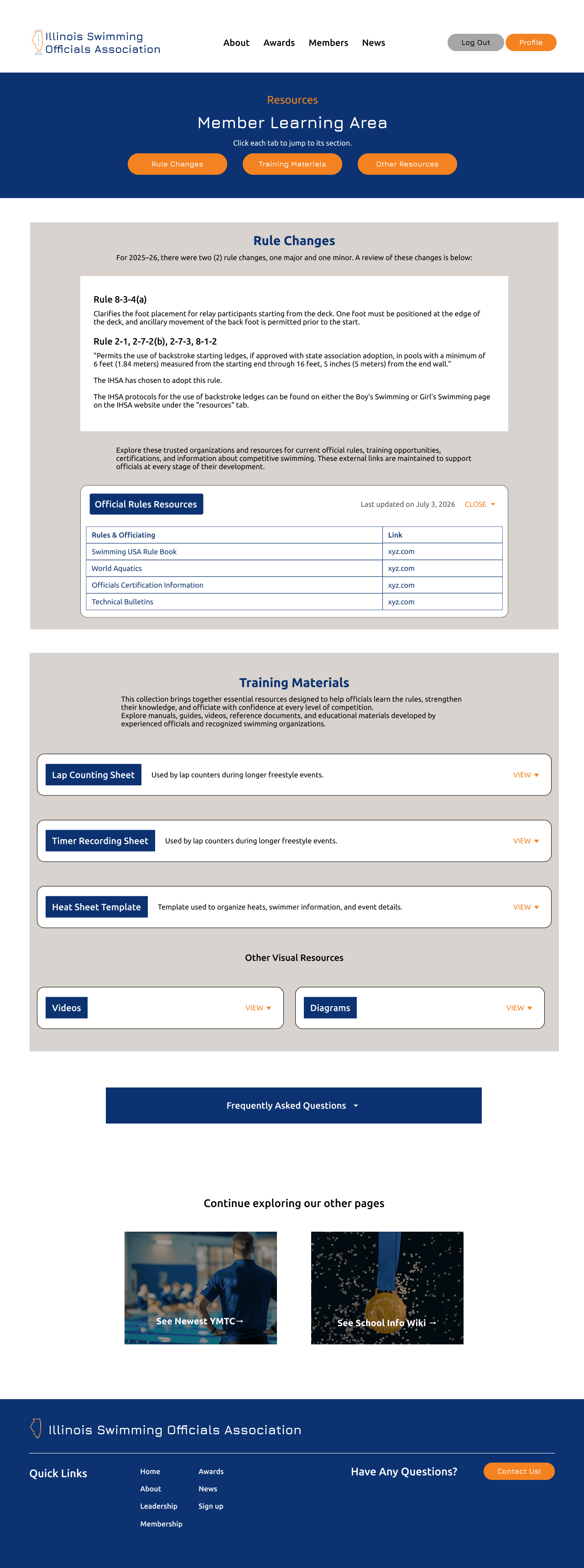
Training materials, clinic information, and links to related organizations moved into one member-only learning hub.
Click a note to find it in the hi-fi.
You Make the Call: practice that keeps its context
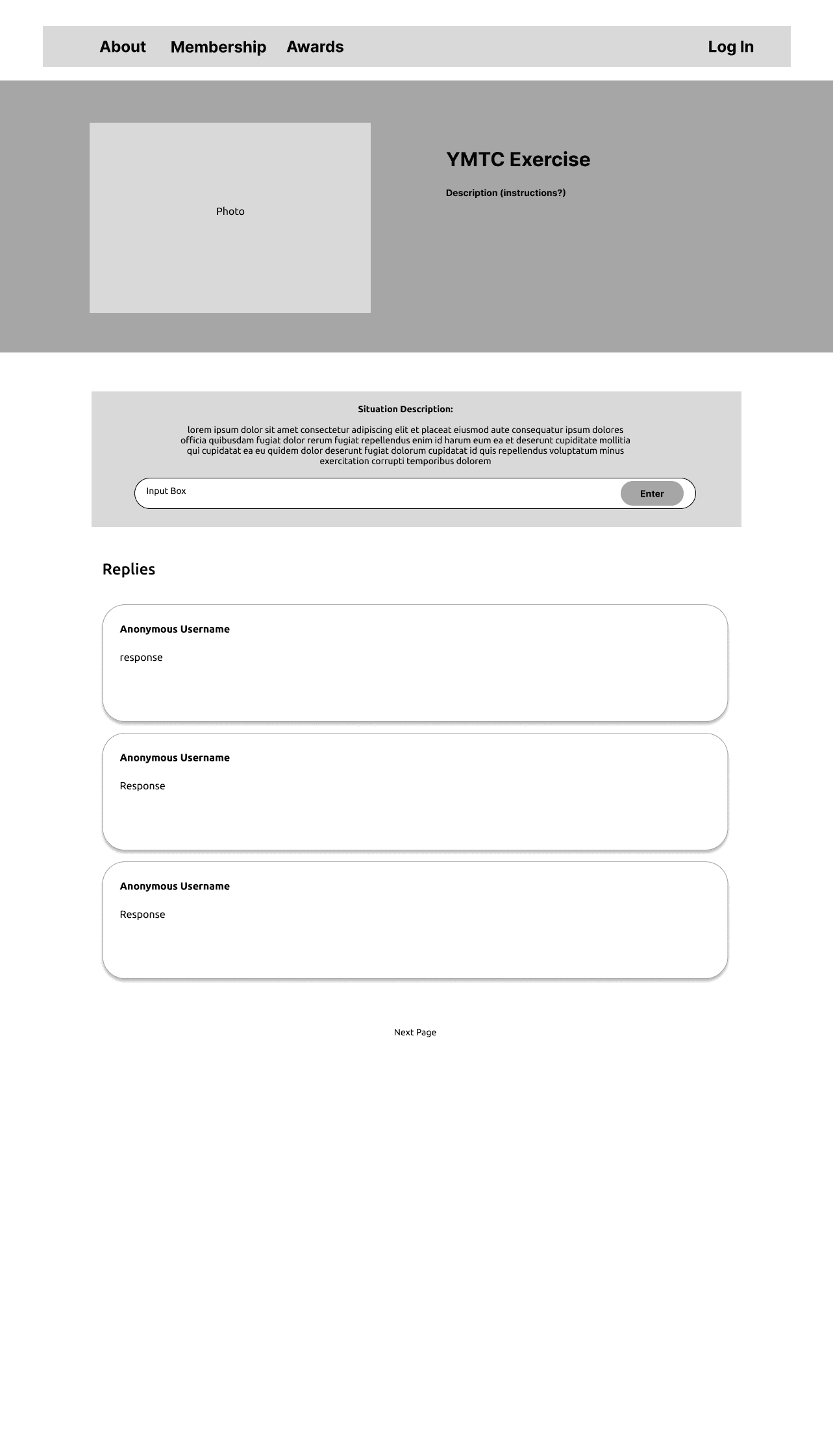
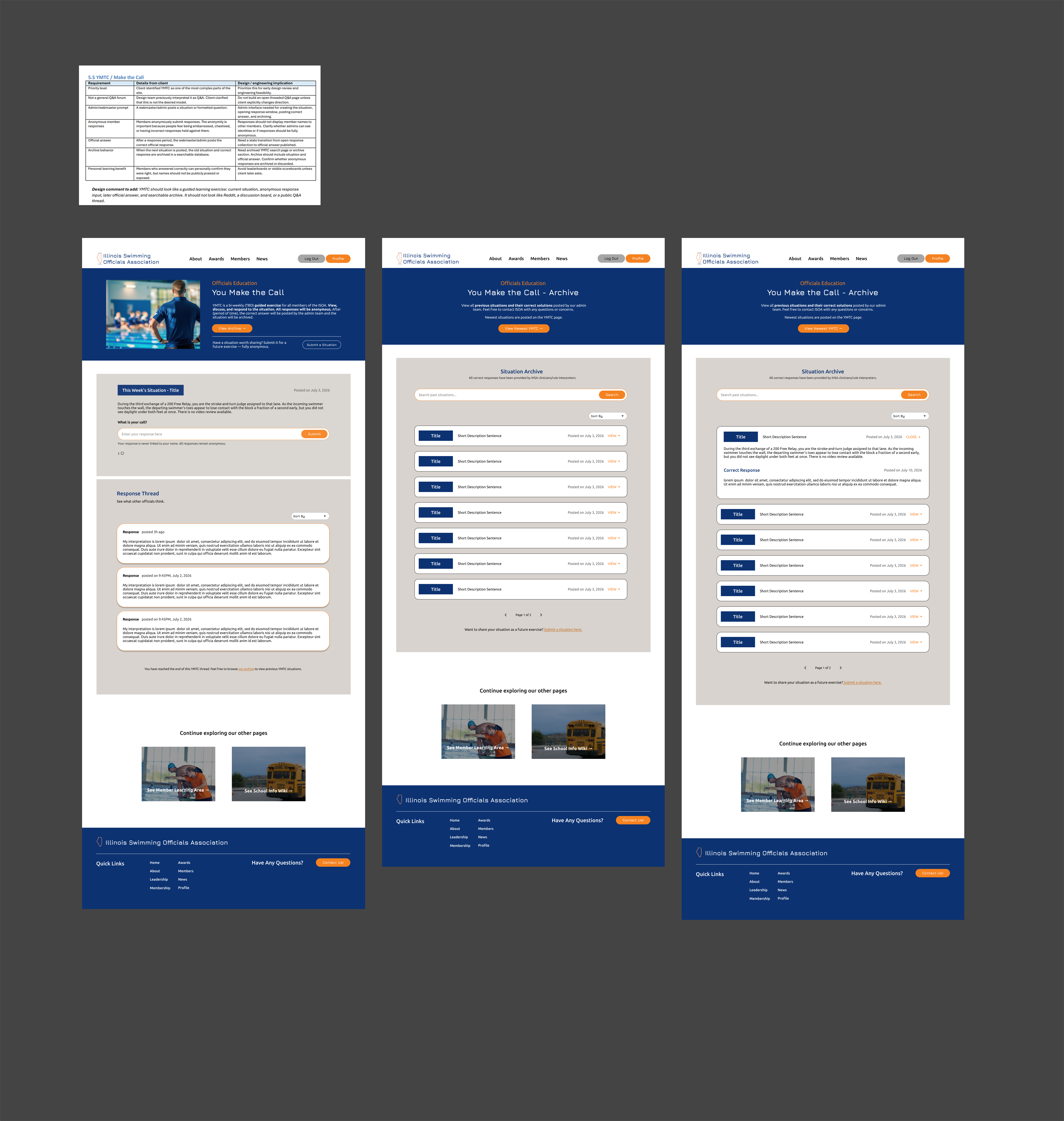
The proposed You Make the Call (YMTC) flow connects the prompt, ruling, archive, and next exercise in one repeatable learning flow.
Practice a situation and share a response.
Click a note to find and enlarge it in the hi-fi.
Resources: turn requests and references into tools
School information wiki
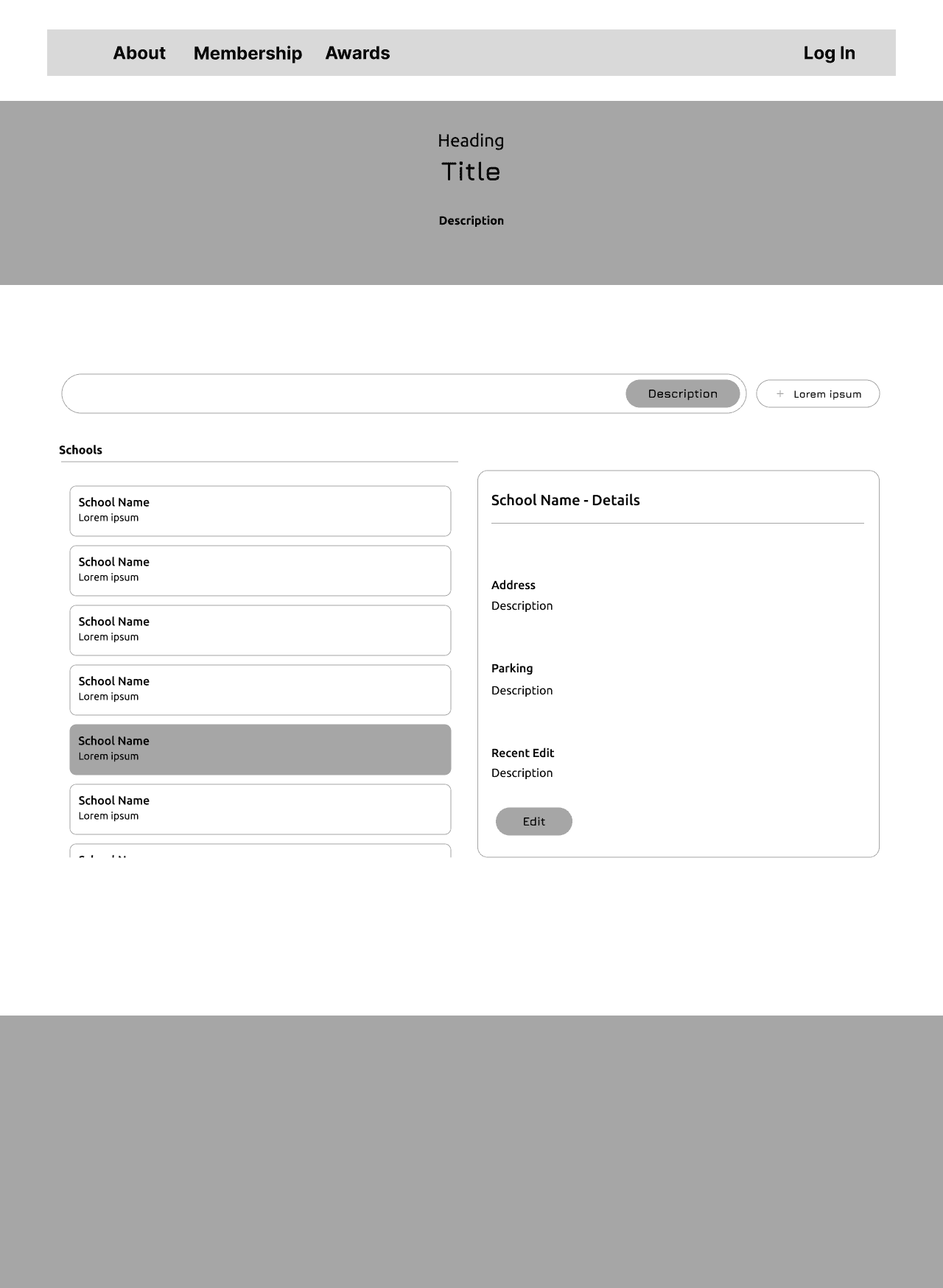
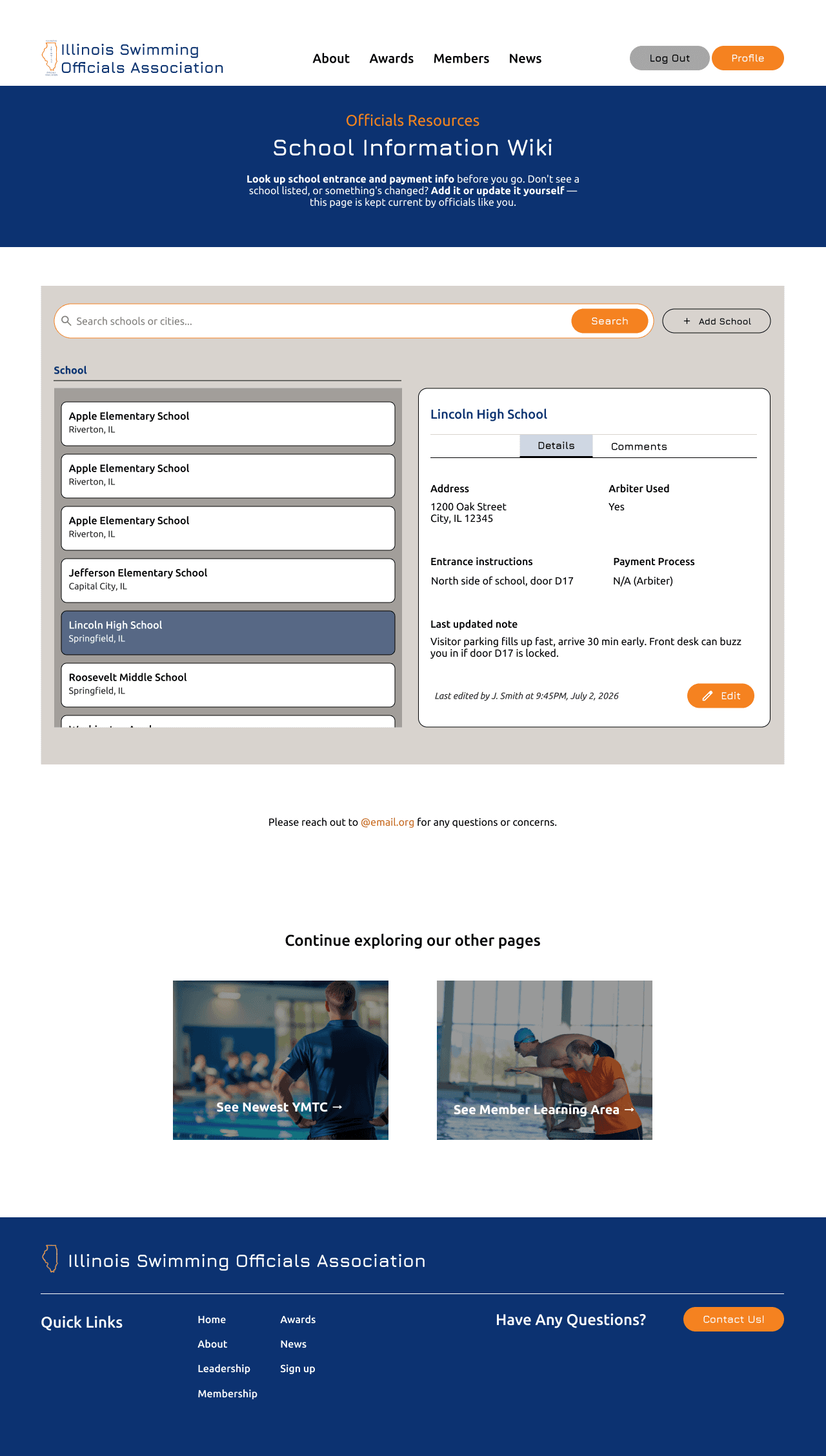
The client wanted a Wikipedia-style resource where members could edit each school’s information and leave comments. I designed a searchable directory that brings school details and member updates together.
Look up school information and suggest an edit.
Award nominations
I added a nomination button to the Awards page that links to a submission form. With just one action, a separate member tool was unnecessary; keeping nominations alongside the awards puts the action where members would expect it.
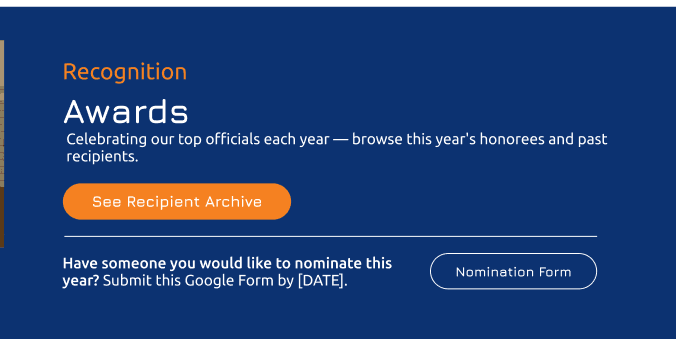
- 1The primary button jumps down to the award recipient archive, as the client requested.
From design to launch
I led the design through the version engineering could ship
I documented public and signed-in states for handoff and led client reviews through annotated PDFs and calls.
Simplifying scope without losing access
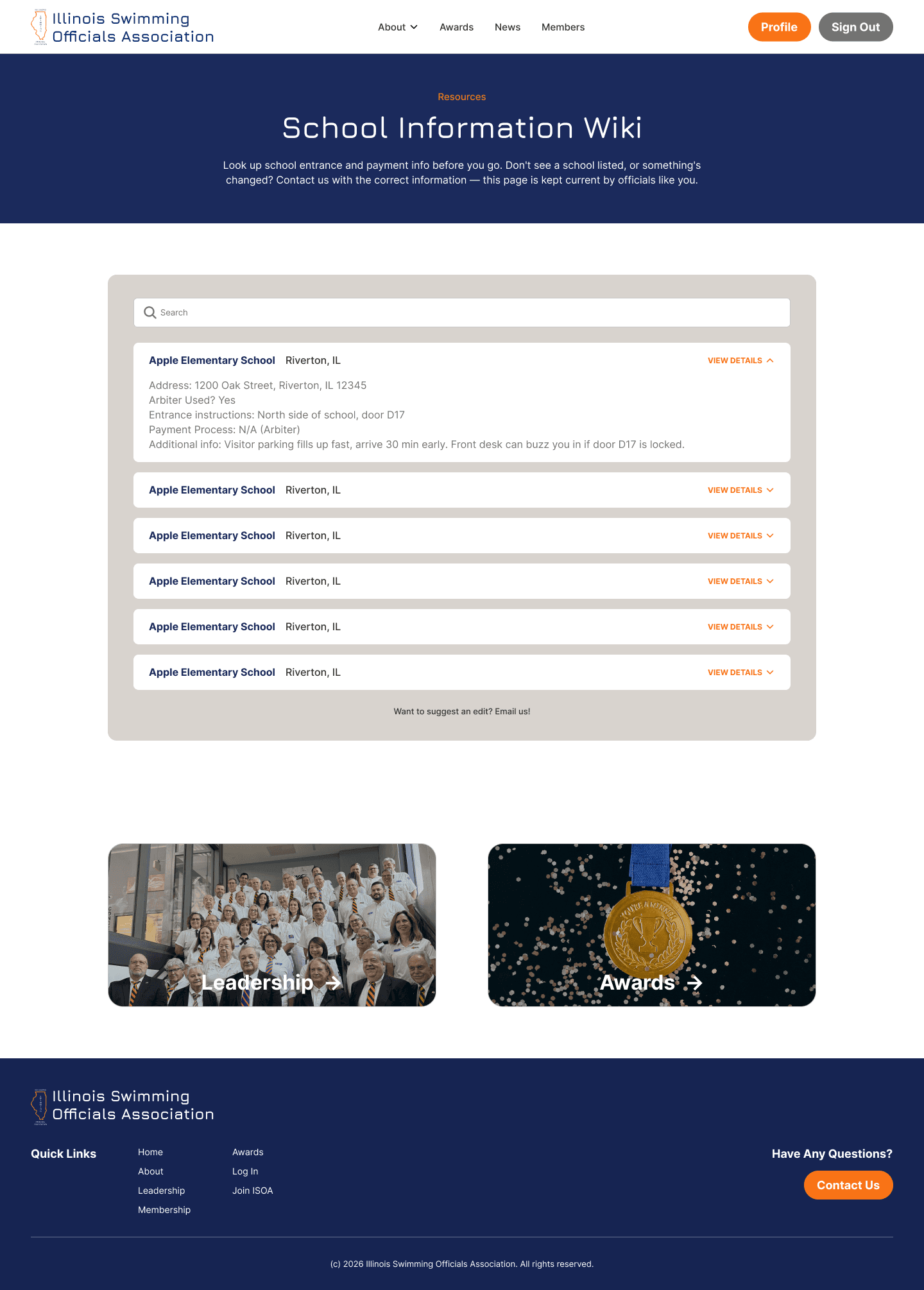
The development timeline did not allow the full YMTC and School Wiki experiences to be built. I consolidated both into more static versions for launch, keeping member content accessible while reducing implementation scope.
For School Wiki, searchable school details stayed; in-page edits and comments became email-based update requests.
YMTC became a static reference library rather than a member discussion flow. Members can read situations and correct responses; admins can view and upload the correct responses.
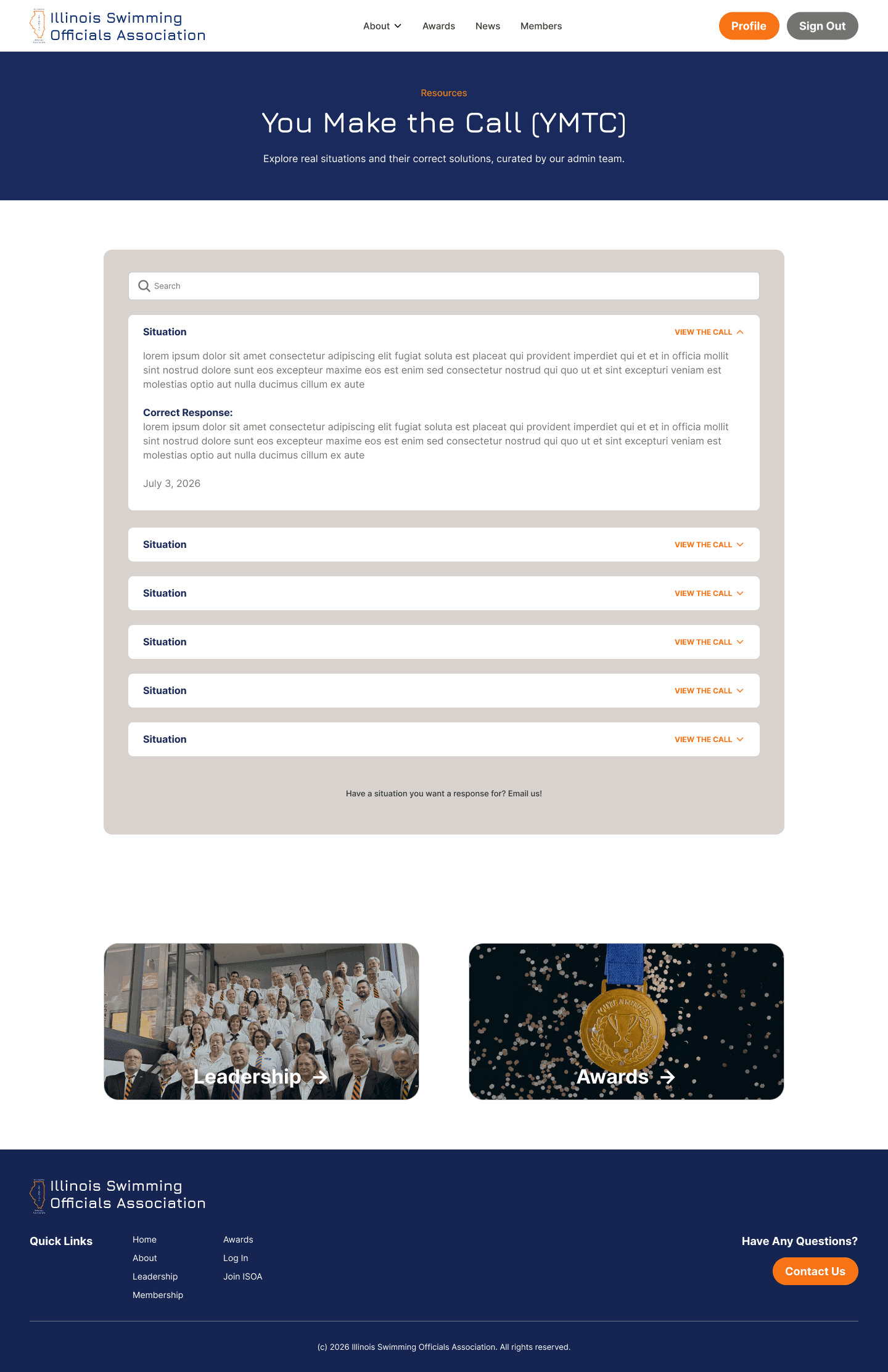
I QA’d the deployed site, separated bugs from agreed scope changes, and updated Figma to reflect the version ISOA could maintain.
Outcome
- 70+
- Officials using the site today
- 12
- Pages designed and shipped
- 4 months
- May to August 2026
- 2
- Public and member experiences
ISOA now has a public site that supports recruitment and a private suite for member work—both designed for the board to maintain.
Lessons learned
What I learned
Design the work, not just the pages.
Digitizing content meant defining who could access it, how members would use it, and who would keep it current—not just giving the website a new look.
Protect the purpose when scope changes.
Simplifying YMTC and School Wiki kept essential member content accessible within the development timeline. The full interaction model could wait; access to the information could not.
Handoff continues through QA.
Reviewing the build with developers helped me separate bugs from scope decisions and keep Figma aligned with what the board could maintain.